> For the complete documentation index, see [llms.txt](https://docs.kiloex.io/kiloex/llms.txt). Markdown versions of documentation pages are available by appending `.md` to page URLs; this page is available as [Markdown](https://docs.kiloex.io/kiloex/help/tutorials-cn/ru-he-zai-xiao-hu-li-qian-bao-tian-jia-qi-ta-lian.md).
# 如何在小狐狸钱包添加其他链
Tutorials
## 1. 电脑端
1. 点击链→选择添加网络
 2. 填写对应内容:
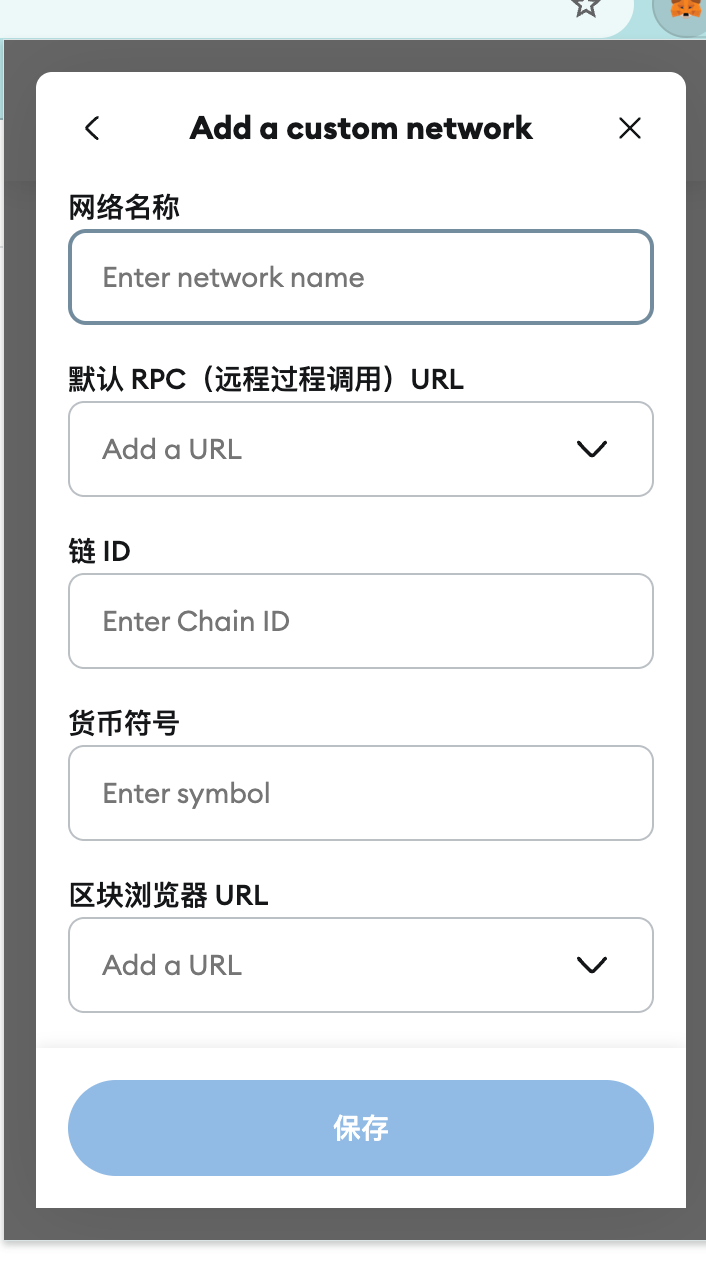 * **网络名称:**opBNB Mainnet
* **网络 URL:**
* **链 ID:** 204
* **货币符号:**BNB
* **阻止资源管理器 URL:**
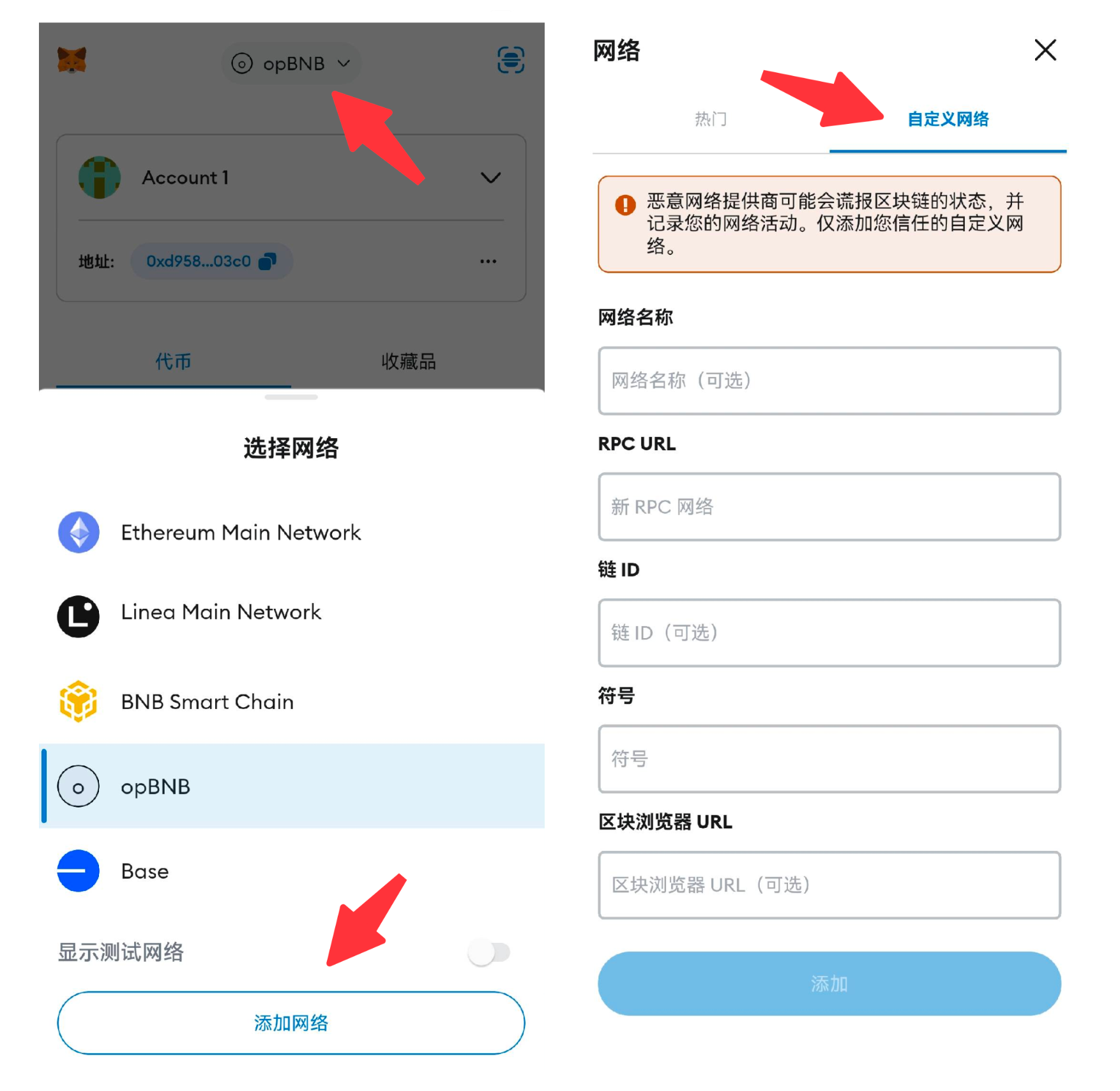
## 2. 手机端
1. 点击链→选择添加网络
2. 选择自定义网络,填写相关内容:
* **网络名称:**opBNB Mainnet
* **网络 URL:**
* **链 ID:** 204
* **货币符号:**BNB
* **阻止资源管理器 URL:**
* **网络名称:**opBNB Mainnet
* **网络 URL:**
* **链 ID:** 204
* **货币符号:**BNB
* **阻止资源管理器 URL:**
## 2. 手机端
1. 点击链→选择添加网络
2. 选择自定义网络,填写相关内容:
* **网络名称:**opBNB Mainnet
* **网络 URL:**
* **链 ID:** 204
* **货币符号:**BNB
* **阻止资源管理器 URL:**